Boardgame Scorer1.8
Publisher Description
Less time scoring = More time playing
Keep score history = Statistics + Sharing
Custom game scorer = Support unlimited games
"Boardgame Scorer" is designed for endgame scoring (replacing the score sheet). If you are the fan of board games, this scorer will be your favorite companion.
------------------------------------------------
1: "Unlimited Games Support"
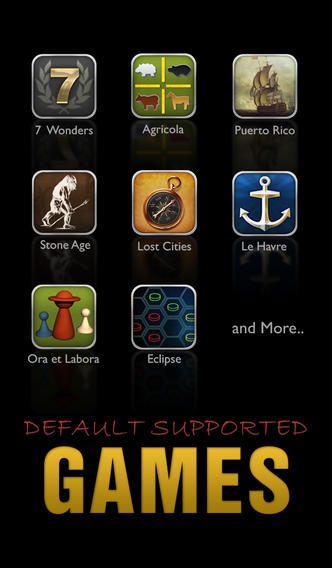
- default scorers includes: "7 Wonders", Agricola, "Le Havre", "Lost Cities", Eclipse, "Stone Age", "Puerto Rico", "Agricola: ACBaS", "Ora et Labora";
- support creating new game scorers;
- customizable components: game name, score categories list,
------------------------------------------------
2: "Less Time Scoring"
- support "score by player" and "score by category";
- input score by Picker or Numpad, easy and friendly;
------------------------------------------------
3: "Keep Score History"
- keep score history of different Games;
- support multiple Rounds in one Game;
- show the summary of games, including total scores and rank awards;
------------------------------------------------
4: "Statistics"
- highest scores across all games;
- highest score for each score category;
- winning ratio, average score for each player;
------------------------------------------------
5: "Sharing"
- email score and summary;
- upload score to BoardGameGeek;
- tweet score and summary;
- Facebook sharing;
Requires iOS 6.0 or later. Compatible with iPhone, iPad, and iPod touch.
About Boardgame Scorer
The company that develops Boardgame Scorer is Zhi Wang. The latest version released by its developer is 1.8.
To install Boardgame Scorer on your iOS device, just click the green Continue To App button above to start the installation process. The app is listed on our website since 2012-01-25 and was downloaded 28 times. We have already checked if the download link is safe, however for your own protection we recommend that you scan the downloaded app with your antivirus. Your antivirus may detect the Boardgame Scorer as malware if the download link is broken.
How to install Boardgame Scorer on your iOS device:
- Click on the Continue To App button on our website. This will redirect you to the App Store.
- Once the Boardgame Scorer is shown in the iTunes listing of your iOS device, you can start its download and installation. Tap on the GET button to the right of the app to start downloading it.
- If you are not logged-in the iOS appstore app, you'll be prompted for your your Apple ID and/or password.
- After Boardgame Scorer is downloaded, you'll see an INSTALL button to the right. Tap on it to start the actual installation of the iOS app.
- Once installation is finished you can tap on the OPEN button to start it. Its icon will also be added to your device home screen.
